ViralSpin Academy
Related Reading
Use AdditiveBlending on all sprite and line materials — it means overlapping elements brighten rather than occlude, giving you the "ball of light" look without any custom blend math.
Build a Live 3D AI
Knowledge Graph
 AITechDad
•
Updated August 2026
AITechDad
•
Updated August 2026
Every AI conversation is a knowledge graph in disguise.
Topics connect, references cluster, ideas radiate from a shared centre.
Here's how we made that visible — in real time, in 3D, in a synced popup window.
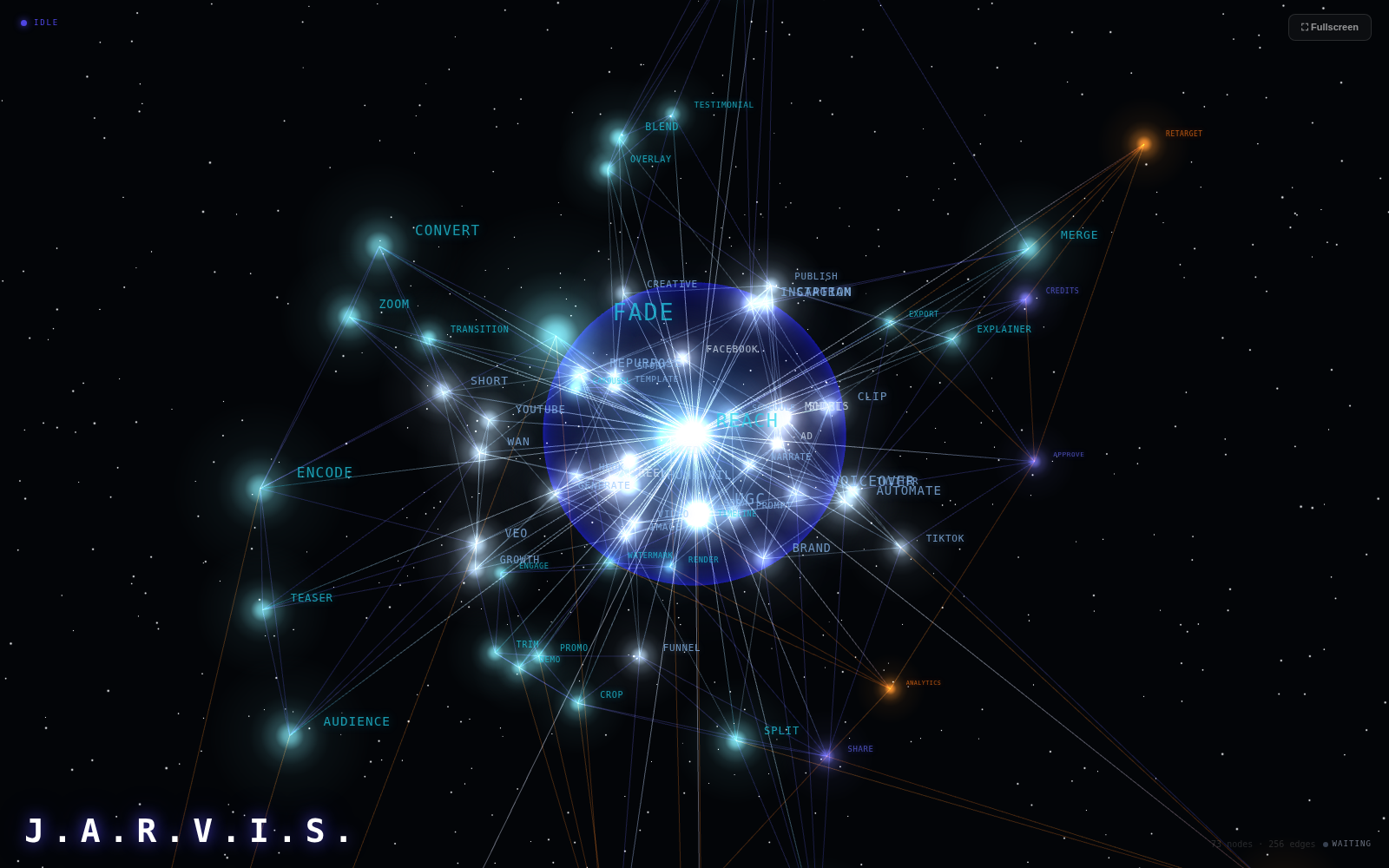
Open ViralSpin and click ⬡ Full View on the Jarvis page. A popup window appears: a dark void filled with glowing cyan nodes, orange outer stars, and white tentacle lines radiating from a pulsating blue globe at the centre. As you talk to Jarvis, new topic nodes materialise. Shared topics brighten and scale up. The whole graph slowly rotates, alive.
We call it the Jarvis Orb. It's a real-time 3D knowledge graph that maps the conversation as it happens — built entirely with React Three Fiber, no special backend required. This is how it works and how you can build one.
The stack
| Layer | What we used | Why |
|---|---|---|
| 3D renderer | React Three Fiber (@react-three/fiber) |
Three.js as declarative React components |
| Helpers | drei (@react-three/drei) |
OrbitControls, Stars, Html overlays |
| Engine | three.js | Sprites, ShaderMaterial, BufferGeometry |
| State sync | BroadcastChannel API | Zero-latency cross-window messaging, same origin |
| Fallback | localStorage | Popup reload recovery |
| Topic extraction | Client-side regex + stopword filter | No extra AI call needed |
npm install three @react-three/fiber @react-three/drei
The mental model is a four-layer pipeline: extract topics from AI responses → sync them to a popup via BroadcastChannel → place them as 3D nodes in a sphere → animate everything based on current AI state.
How the sync works
The main Jarvis page and the popup window live on the same origin. That means they can communicate instantly via BroadcastChannel — no WebSocket, no server round-trip.
// In the main Jarvis page — broadcast on every state/text change
const bc = new BroadcastChannel('jarvis-orb-state');

useEffect(() => {
  const topics = extractTopics(displayText);
  const data = { orbState, displayText, topics, messageIdx };
  bc.postMessage(data);
  // Persist for popup reload recovery
  localStorage.setItem('jarvis_orb_state_sync', JSON.stringify(data));
}, [orbState, displayText]);
// In the popup (/jarvis/orb) — subscribe on mount
useEffect(() => {
  // Restore last known state immediately on load
  const saved = localStorage.getItem('jarvis_orb_state_sync');
  if (saved) applyPayload(JSON.parse(saved));

  const bc = new BroadcastChannel('jarvis-orb-state');
  bc.addEventListener('message', e => applyPayload(e.data));
  return () => bc.close();
}, []);
The payload is lightweight:
interface SyncPayload {
  orbState: 'idle' | 'listening' | 'thinking' | 'speaking';
  displayText: string;   // current Jarvis response text
  topics: string[];      // 3-6 keywords extracted from that text
  messageIdx: number;    // monotonically increasing, used for recency
}
Topic extraction — no AI required
Topics are extracted client-side with a regex + stopword filter. Fast, offline, zero latency:
const STOPWORDS = new Set(['the','a','an','is','are','was','were','have',
  'has','do','does','and','or','but','in','on','at','to','for','of','with',
  'by','that','this','it','we','you','they','just','also','very','only']);

function extractTopics(text: string): string[] {
  return [...new Set(
    (text.match(/\b[a-zA-Z]{4,}\b/g) || [])
      .map(w => w.toLowerCase())
      .filter(w => !STOPWORDS.has(w))
  )].slice(0, 6);
}
The result: 3–6 domain words per AI response, grabbed in under a millisecond.
The 3D graph
Node placement
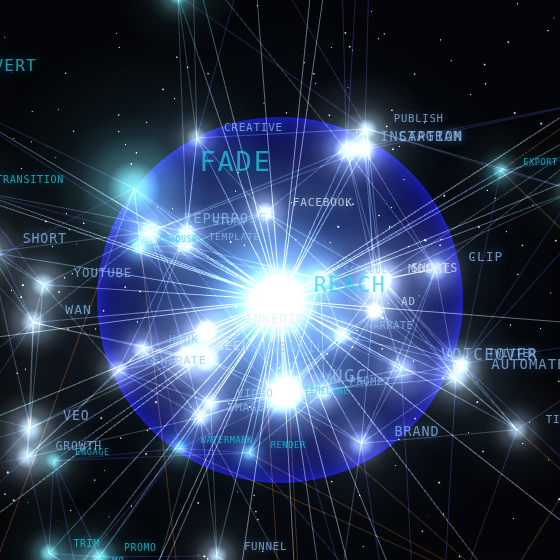
Nodes are distributed in concentric spherical shells using uniform-sphere sampling. Distance-based colour gives instant visual depth:
function rSphere(min: number, max: number): [number, number, number] {
  const r = min + Math.random() * (max - min);
  const phi = Math.acos(2 * Math.random() - 1);  // uniform on sphere
  const th  = Math.random() * Math.PI * 2;
  return [r * Math.sin(phi) * Math.cos(th), r * Math.cos(phi), r * Math.sin(phi) * Math.sin(th)];
}

// White core → cyan → indigo → orange outer
function distColor(pos: [number, number, number]): string {
  const d = Math.hypot(pos[0], pos[1], pos[2]);
  if (d < 1.5) return "#e0f0ff";
  if (d < 3.5) return "#93c5fd";
  if (d < 5.5) return "#22d3ee";
  if (d < 8.0) return "#6366f1";
  return "#f97316";
}
The KNN edge web
Each node connects to its 5 nearest neighbours, creating the dense neural-web appearance. All edges are computed once at startup:
function knnEdges(nodes: GraphNode[], k: number): Edge[] {
  const edges: Edge[] = [];
  const seen = new Set<string>();
  for (let i = 0; i < nodes.length; i++) {
    if (nodes[i].id === "JARVIS") continue;
    const [ax, ay, az] = nodes[i].position;
    const sorted = nodes
      .filter((n, j) => j !== i && n.id !== "JARVIS")
      .map(n => ({ id: n.id, d: Math.hypot(ax - n.position[0], ay - n.position[1], az - n.position[2]) }))
      .sort((a, b) => a.d - b.d)
      .slice(0, k);
    for (const { id } of sorted) {
      const [a, b] = [nodes[i].id, id].sort() as [string, string];
      const key = `${a}|${b}`;
      if (!seen.has(key)) { seen.add(key); edges.push([a, b]); }
    }
  }
  return edges;
}
Vertex-coloured tentacle lines
Lines from the JARVIS centre to every node are rendered as a single LineSegments object with per-vertex colour — white at the JARVIS end, dim coloured at the tip:
// Build the geometry once, update colours dynamically
const positions: number[] = [];
const colors: number[] = [];
for (const n of nodes) {
  if (n.id === "JARVIS") continue;
  positions.push(0, 0, 0, ...n.position);
  const tipCol = n.isActive ? activeColor : new THREE.Color(distColor(n.position));
  const tipAlpha = n.isActive ? 0.75 : 0.12;
  // Soft blue-white at JARVIS end, coloured dim at tip
  colors.push(0.55, 0.72, 1.0, tipCol.r * tipAlpha, tipCol.g * tipAlpha, tipCol.b * tipAlpha);
}
The Fresnel globe
The centre globe uses a custom GLSL shader — the Fresnel equation makes the sphere transparent at the centre and bright at the rim, giving it a visible 3D surface rather than just a flat glow circle:
// Fragment shader
uniform vec3  uColor;
uniform float uOpacity;
uniform float uPower;  // controls rim sharpness (2.0 = soft, 3.0 = sharp)
uniform float uFill;   // base interior brightness (0.35 idle, 0.65 speaking)

varying vec3 vNormal;
varying vec3 vViewPosition;

void main() {
  vec3  viewDir = normalize(vViewPosition);
  float fresnel = pow(1.0 - abs(dot(viewDir, vNormal)), uPower);
  // Fill = base interior glow; rim is always at full brightness
  float glow    = uFill + (1.0 - uFill) * fresnel;
  gl_FragColor  = vec4(uColor * glow, glow * uOpacity);
}
The uFill and uPower uniforms are animated in useFrame based on Jarvis state:
| State | uFill | uPower | Result |
|---|---|---|---|
| idle | 0.35 | 2.0 | Dim filled ball, crisp rim |
| listening | 0.42 | 1.9 | Brighter, rim widens |
| thinking | 0.48 | 1.7 | Pulsing fill |
| speaking | 0.65 | 1.4 | Full solid bright orb |
State-driven animation
Everything reacts to the four Jarvis states. The useFrame loop drives it all — no React re-renders, just direct mutation of Three.js objects:
useFrame((state) => {
  const os  = stateRef.current;
  const t   = state.clock.getElapsedTime();
  const rate = { idle: 1.3, listening: 2.2, thinking: 2.8, speaking: 6.5 }[os];
  const p   = (Math.sin(t * rate) + 1) / 2;  // 0→1 pulse

  // Rotate the whole graph
  groupRef.current.rotation.y += { idle: 0.0006, listening: 0.0018, thinking: 0.003, speaking: 0.005 }[os];

  // Animate Fresnel sphere uniforms
  fresnelMatRef.current.uniforms.uFill.value  = baseFill[os] + p * fillRange[os];
  fresnelMatRef.current.uniforms.uPower.value = basePower[os];

  // Active nodes pulse and scale up
  for (const node of nodesRef.current) {
    if (node.isActive) {
      coreSprite.material.opacity = 0.90 + Math.abs(Math.sin(t * rate + nodeIdx)) * 0.22;
      coreSprite.scale.setScalar(1.0 + Math.abs(p) * 1.2);
    }
  }
});
Opening the window
The popup opens from a button in the Jarvis nav bar:
<button
  onClick={() => window.open('/jarvis/orb', 'jarvis-orb', 'width=1400,height=900,resizable=yes')}
  title="Open live conversation graph"
>
  ⬡ Full View
</button>
The popup handles its own fullscreen:
const toggleFullscreen = () => {
  if (!document.fullscreenElement) document.documentElement.requestFullscreen();
  else document.exitFullscreen();
};
Try it
Go to viralspin.ai/jarvis, click ⬡ Full View, and start a conversation. Watch the graph grow with every response — topics from your actual conversation appearing as nodes, lighting up when discussed, dimming as the conversation moves on.
The whole thing is about 500 lines of TypeScript with no extra dependencies beyond @react-three/fiber and drei. The BroadcastChannel sync means it works in any browser, no WebSocket server needed.